
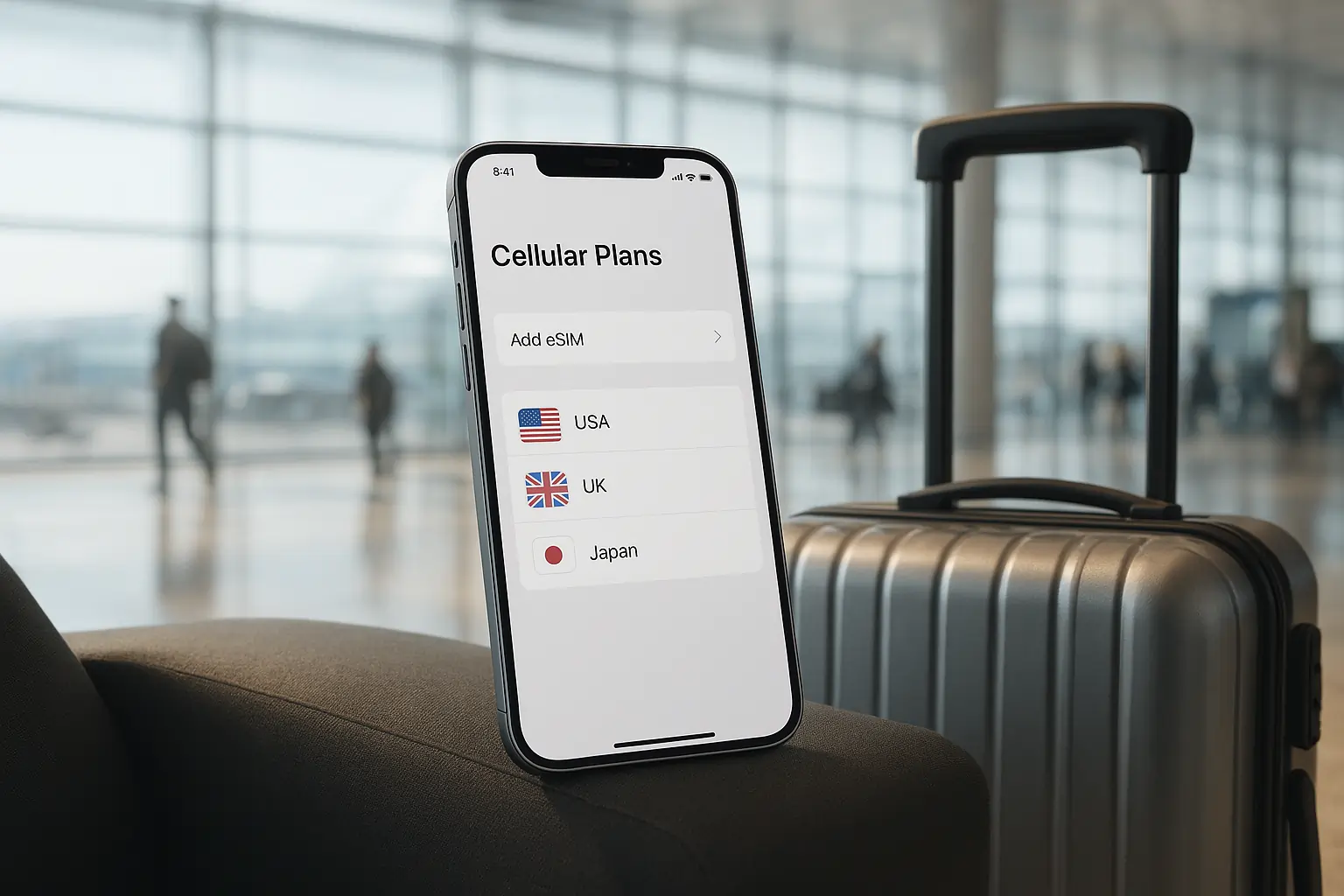
The iPhone 17 has taken digital connectivity to the next level with its advanced eSIM technology, making it easier for travelers to switch between carriers without juggling physical SIM cards. One of its most practical features is the ability to store and manage multiple eSIMs on a single device. For frequent flyers, digital nomads, or even casual vacationers, this feature is a game-changer.
In this guide, you’ll learn how to set up multiple eSIMs on your iPhone 17, the benefits of doing so, and some tips for managing your mobile data while traveling across countries.
Why Multiple eSIMs Matter for Travelers
When traveling internationally, staying connected is not just about convenience—it’s about safety, navigation, and productivity. With multiple eSIMs, you can:
- Switch carriers instantly without swapping SIM cards.
- Avoid expensive roaming charges by buying local or regional eSIM data plans.
- Keep your primary number active for calls and SMS while using another for data.
- Easily manage work and personal lines on one phone.
This flexibility makes the iPhone 17 one of the best smartphones for international travelers.
Step-by-Step: How to Add Multiple eSIMs on iPhone 17
1. Open the Settings App
Go to Settings > Cellular (or Mobile Data) > Add Cellular Plan.
2. Scan the QR Code or Enter Details
Your eSIM provider will give you a QR code, activation code, or carrier app. Scan or enter it to add the plan.
3. Label Each Plan
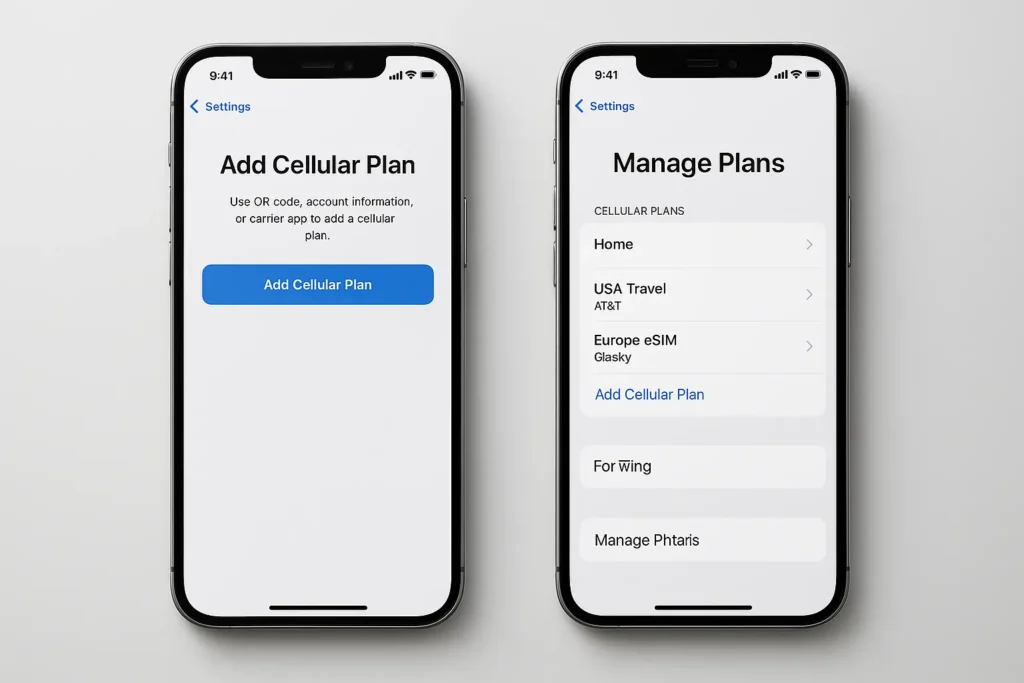
To avoid confusion, label your plans. For example:
- “Home” for your primary number
- “USA Travel” for your US trip
- “Europe eSIM” for regional coverage
4. Choose Default Lines
The iPhone 17 lets you pick which line to use for:
- Calls & SMS
- Mobile Data
- iMessage & FaceTime
You can even set different defaults for different contacts.
5. Manage Active Lines
The iPhone 17 allows you to keep multiple eSIMs stored but only activate the ones you need at a time. For example, you can store 8 eSIMs but use 2 simultaneously (depending on your carrier).
Pro Tips for Travelers Using Multiple eSIMs
- Download eSIMs before you travel to avoid airport Wi-Fi hassles.
- Check coverage maps of providers before purchasing international eSIMs.
- Use one eSIM for calls/SMS and another exclusively for data.
- Turn off unused eSIMs when not in use to save battery life.
- Always keep your home eSIM active to ensure you don’t miss important calls or banking OTPs.
Benefits of iPhone 17’s eSIM Flexibility
- Storage of More Plans: Unlike older models, iPhone 17 allows more eSIM profiles, making it perfect for long-term travelers.
- Instant Switching: No need to visit a store or swap plastic SIMs. Switch carriers in seconds.
- Dual Active Lines: Manage personal and work numbers easily while abroad.
- Cost Savings: Combine local data eSIMs with global roaming packages for optimized expenses.
Real-World Travel Example
Imagine you’re flying from New York to London, then to Tokyo.
- In New York, you use your primary US number.
- Upon landing in London, you activate your UK eSIM for cheap data.
- Later in Tokyo, you switch to your Japan eSIM, while still receiving iMessages and calls on your US number.
All of this happens within your iPhone 17’s Cellular Plans menu—no store visits, no plastic SIM swaps.
Conclusion
Setting up multiple eSIMs on the iPhone 17 is simple yet incredibly powerful for international travelers. With the ability to store several carrier profiles, activate them instantly, and switch between them seamlessly, the iPhone 17 ensures you’re always connected—whether you’re working abroad, backpacking across Europe, or just enjoying a family holiday.
Instead of worrying about roaming bills or juggling SIM cards, travelers can now rely on a single device to manage their entire connectivity needs.
FAQs: Multiple eSIMs on iPhone 17
Q1. How many eSIMs can I store on my iPhone 17?
The iPhone 17 can store multiple eSIM profiles (up to 8–10 depending on carrier support). You can use two at a time—one for calls/SMS and one for data.
Q2. Can I use two eSIMs at the same time?
Yes, the iPhone 17 supports Dual eSIM Dual SIM functionality, meaning you can keep two active lines simultaneously.
Q3. Do I need an internet connection to activate an eSIM?
Yes, you’ll need Wi-Fi or mobile data to activate a new eSIM. Download it before traveling if possible.
Q4. Will I lose my old eSIMs if I reset my iPhone?
Resetting may erase stored eSIMs, so always back up activation details or QR codes from your provider.
Q5. Are international eSIMs cheaper than roaming?
In most cases, yes. Buying a local or regional eSIM plan is significantly cheaper than using your home carrier’s roaming package.







Leave a Reply